
HOME CONTROL • RESEARCH-BASED OVERVIEW

Aqara Panel Hub S1 Plus

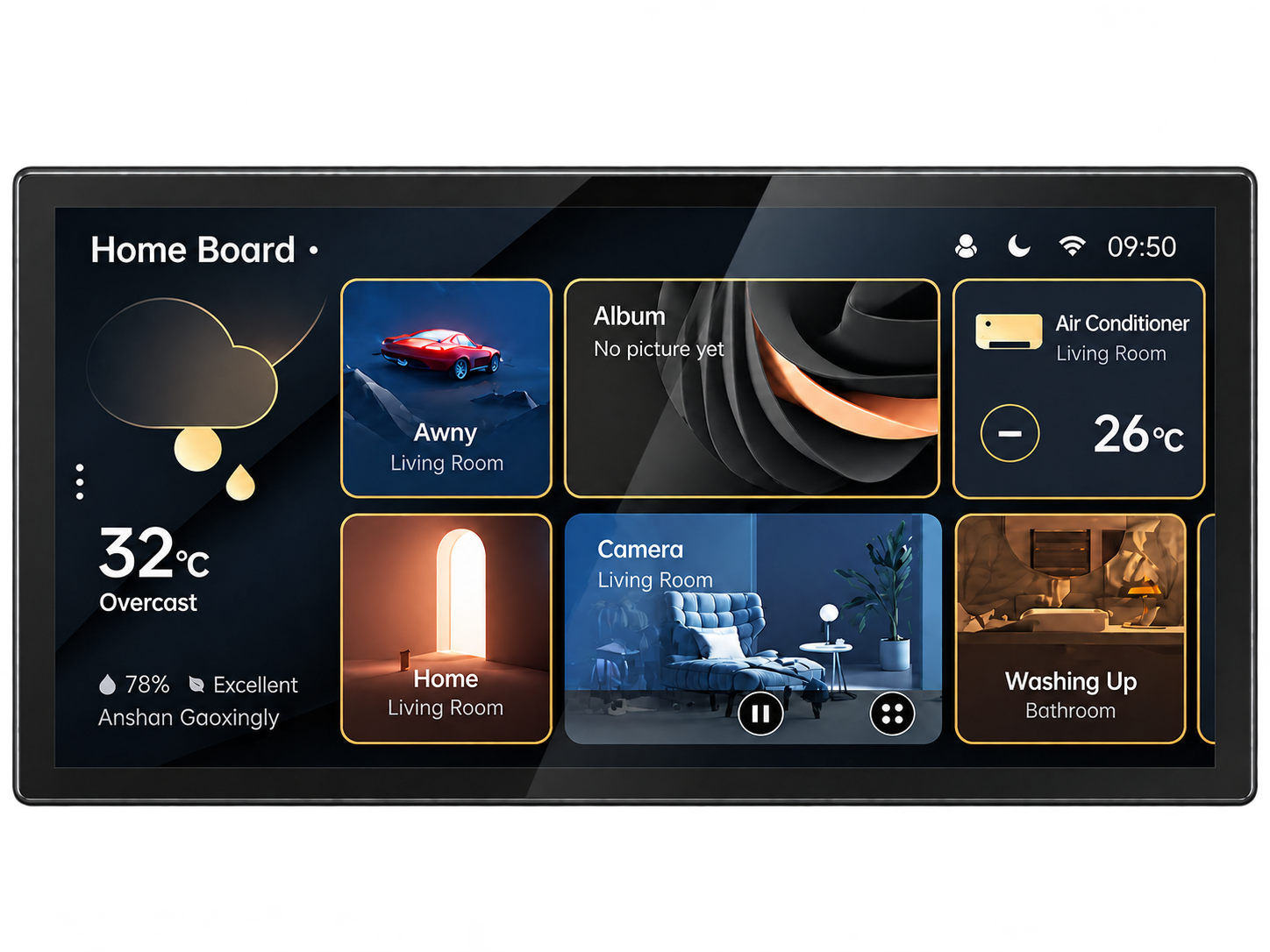
A wall-mounted smart home touchscreen designed to bring scenes, lighting, climate controls, compatible cameras and everyday automations into one central control surface.

ShopJoyUSA has not tested this product hands-on. This overview is based on Aqara's published product information, support materials and documentation.

Aqara Panel Hub S1 Plus smart home control panel

Why the Aqara Panel Hub S1 Plus stands out

Instead of controlling a smart home only from a phone, Panel Hub S1 Plus puts key actions on a dedicated wall-mounted touchscreen. It is designed to combine dashboard-style control, scene access, camera viewing and Aqara ecosystem integration in one always-ready surface that can stay installed in a central area of the home.

6.9” Touchscreen control panel
Zigbee 3.0 Built-in Aqara hub support
Matter Bridge support for broader ecosystems
Touch + App Flexible everyday control
Dashboards Customizable control surfaces
Camera View Designed for supported live monitoring

A visible command center for the Aqara ecosystem

Panel Hub S1 Plus is most appealing when you want household controls to live in a fixed place instead of only in an app. That makes it easier to trigger scenes, check connected devices, adjust climate-related settings or reach frequently used smart controls without unlocking a phone.

Aqara positions it as more than a display: it is meant to act as a control surface for lighting, curtains, sensors, switches and supported camera feeds, while dashboard customization helps users decide which widgets and controls stay in front.

Best for households building around Aqara devices

This product makes the most sense for users already invested in Aqara, or for buyers intentionally planning a coordinated smart home that benefits from one central screen on the wall.

It is less compelling for shoppers who only want a single smart display with broad third-party app support. Its strongest value comes from acting as a dedicated control point inside a smart home system, not as a general-purpose tablet replacement.

Important details beyond the touchscreen

Aqara ecosystem depth is the main advantage

The cleaner and more complete your Aqara setup is, the more useful the panel becomes. Core Matter compatibility is helpful, but the richest experience still comes from Aqara-native device management and automations.

Placement matters for everyday convenience

Because this is intended as an always-available home control surface, where you install it affects how often it gets used. Entryways, kitchens and shared living areas usually make more sense than hidden or low-traffic rooms.

Dashboards and scenes benefit from setup time

Buyers should expect to spend time organizing widgets, scenes and shortcuts. The product becomes more valuable after the controls are tailored to the home, not simply when the panel is first powered on.

Think of it as infrastructure, not just a gadget

Panel Hub S1 Plus is closer to a built-in smart-home interface than a casual accessory. It is best judged by how well it fits into your broader automation plan rather than by screen size alone.

A strong fit for design-conscious smart home control

Aqara Panel Hub S1 Plus is appealing because it turns smart-home control into a visible, structured part of the house rather than a hidden app workflow. For Aqara-focused homes, it can function as a polished command center for scenes, device status and daily controls. The main buying question is not whether the display is attractive—it is whether your smart-home setup is built deeply enough to justify a dedicated wall interface.

Best forCentralized smart-home control
Standout featureDedicated wall touchscreen hub
Research statusManufacturer-source overview; not a hands-on test

Verify current features and compatibility with Aqara

Platform compatibility, firmware behavior, device support and regional availability can change. Check Aqara's official product page and support resources before purchase.

Visit Official Site →